
Artificial intelligence is no longer something that sits on the edge of ERP conversations. It is quickly becoming a core part of how businesses expect to interact with their systems. NetSuite is moving in that direction as well, not through flashy promises, but through practical, incremental capabilities that can actually be used today.
This blog post walks through where NetSuite currently stands with AI, what kinds of use cases are worth exploring,how to connect your NetSuite instance to Claude MCP connector, how tools like the MCP AI Connector open the door to large language models like Claude, and what’s coming next with NetSuite’s evolving AI vision.
Where NetSuite Stands Today with AI
NetSuite’s native AI capabilities are still developing, but the ecosystem around it is where things get interesting. One of the most promising developments is the MCP AI Connector, which allows NetSuite data to be accessed and interacted with through external large language models such as Claude, ChatGPT, or similar tools.
With NetSuite Next on the horizon in the coming months, this direction is starting to evolve. Rather than relying solely on integrations, NetSuite is moving toward building more native AI capabilities into the platform while still enabling companies to incorporate their preferred AI models on top of their ERP data.
In practical terms, this means you can query your NetSuite data using natural language, generate summaries, automate workflows, and even assist with decision-making, all without building complex reports or saved searches manually.
To bring this to life, I’ll also share practical prompts and real-world use cases you can start using right away.
Use Cases That Actually Make Sense
Not every AI idea is worth pursuing. The real value comes from targeted use cases where AI reduces friction or saves time.
Some strong examples include:
Customer and financial insightsTeams can ask questions like which customers are at risk based on payment patterns or which accounts are trending beyond credit limits. Instead of building saved searches, users can simply ask.
Order to cash and procure to pay supportAI can summarize open orders, highlight delays, or flag anomalies in purchasing patterns. This is especially useful for operations teams that need quick visibility without digging through multiple records.
Support and case managementCustomer service teams can use AI to summarize case histories, draft responses, or identify recurring issues across tickets.
Executive reportingLeadership can get quick summaries of KPIs, trends, and variances without waiting for manually prepared reports.
The common thread across all of these is simple. AI works best when it sits on top of structured ERP data and translates it into something humans can consume quickly.
Connecting NetSuite to Claude Using MCP AI Connector
1. Prepare Your Environment
Before doing anything in NetSuite or Claude, make sure the basics are in place:
You have Administrator access to NetSuite
OAuth 2.0 and REST Web Services are enabled in NetSuite
You have a Claude Pro account (required for custom connectors)
It’s also a good idea to test everything in a sandbox environment first before touching production.
2. Install MCP Tools in NetSuite
NetSuite does not expose AI capabilities out of the box. You need the MCP layer.
Go to: Customisation → SuiteCloud Development → SuiteApp Marketplace
Search for MCP Tools (Standard Tools SuiteApp)
Install and wait for completion
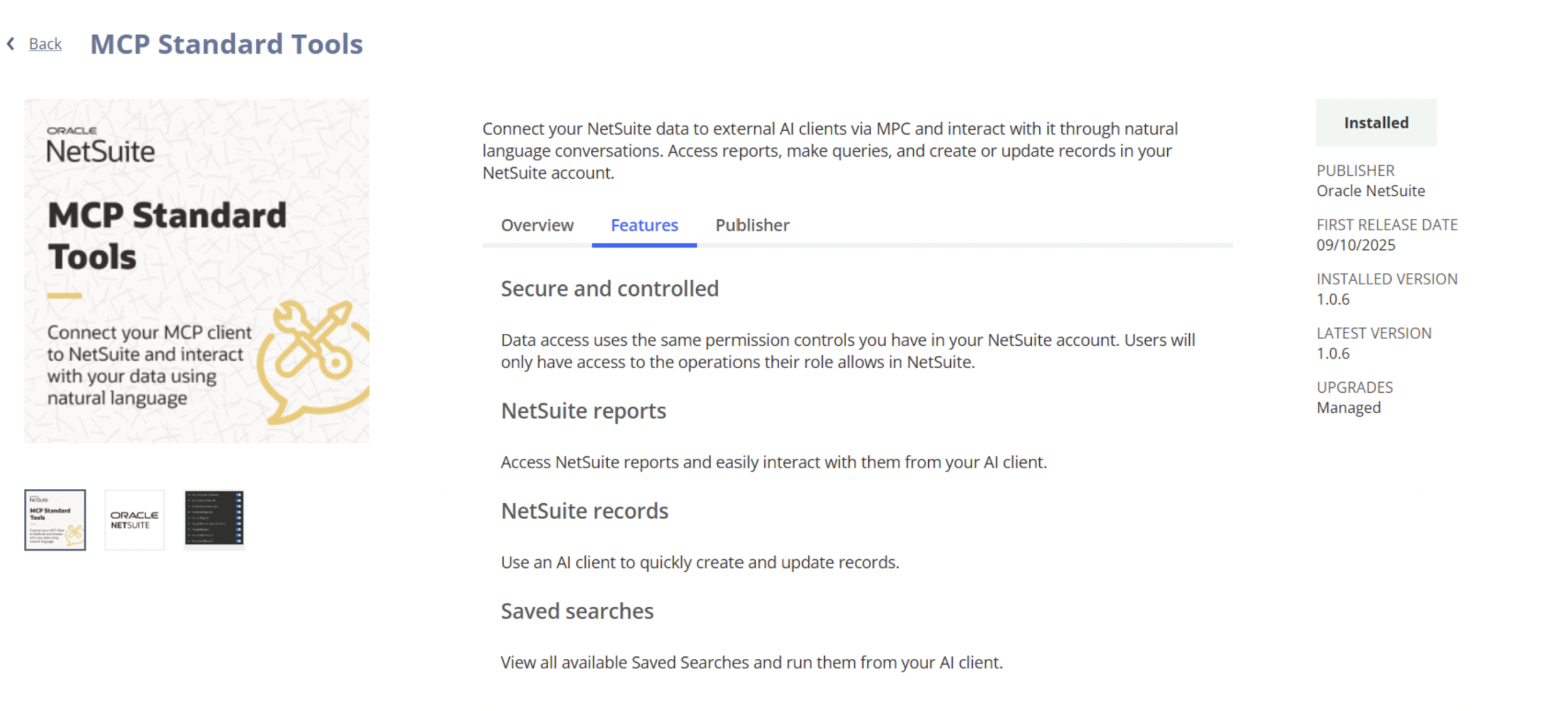
This SuiteApp provides the actual “actions” Claude will be able to perform, like searching records or running queries.
3. Create a Dedicated MCP Role
This step is critical and often missed.
Create a custom role specifically for AI access
You cannot use the Administrator role
Assign permissions such as:
Setup → MCP Server Connection
Setup → Log in using OAuth 2.0 Access Tokens
Setup → REST Web Services
Access to transactions, customers, items, and reports as needed
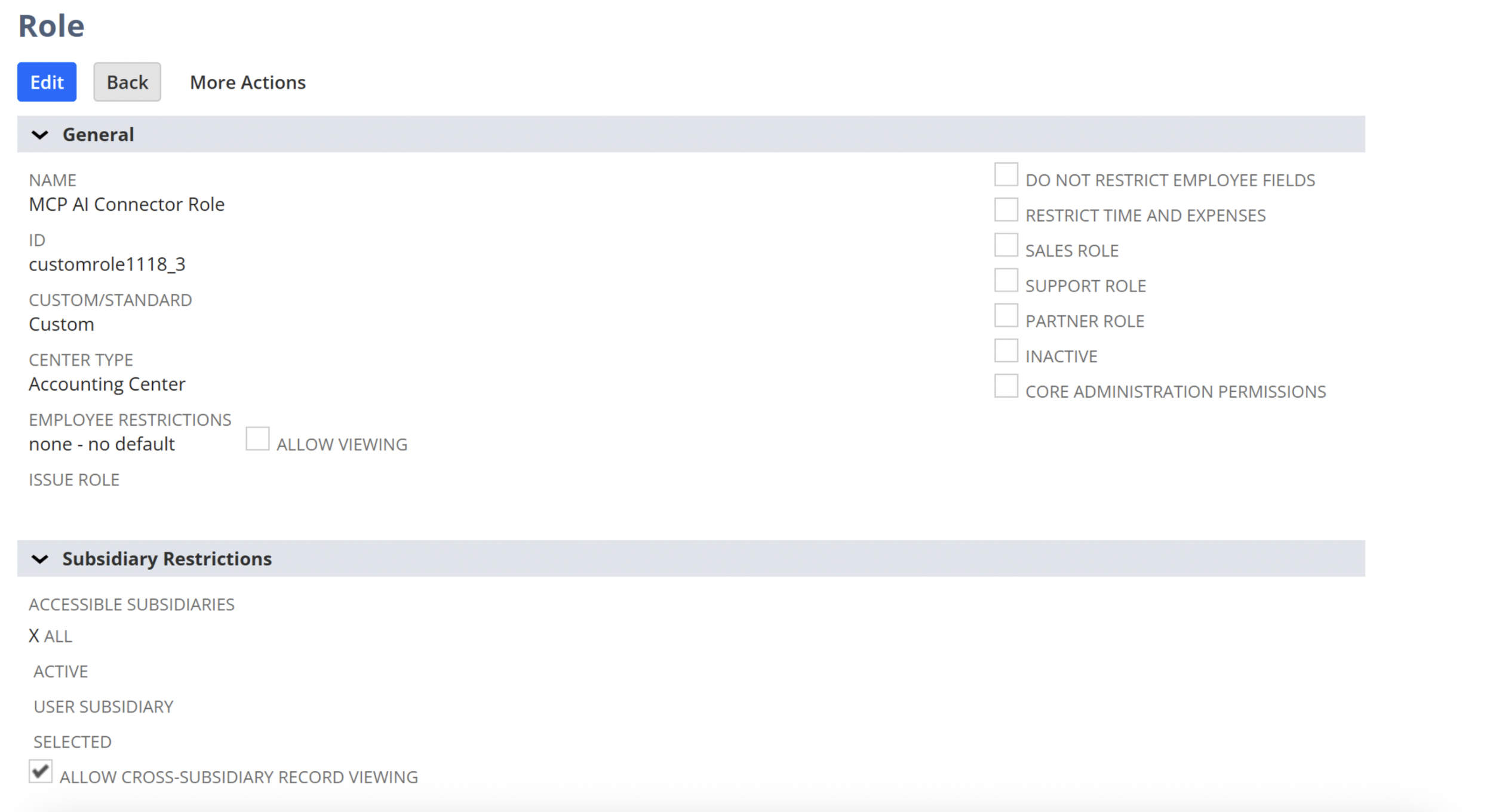
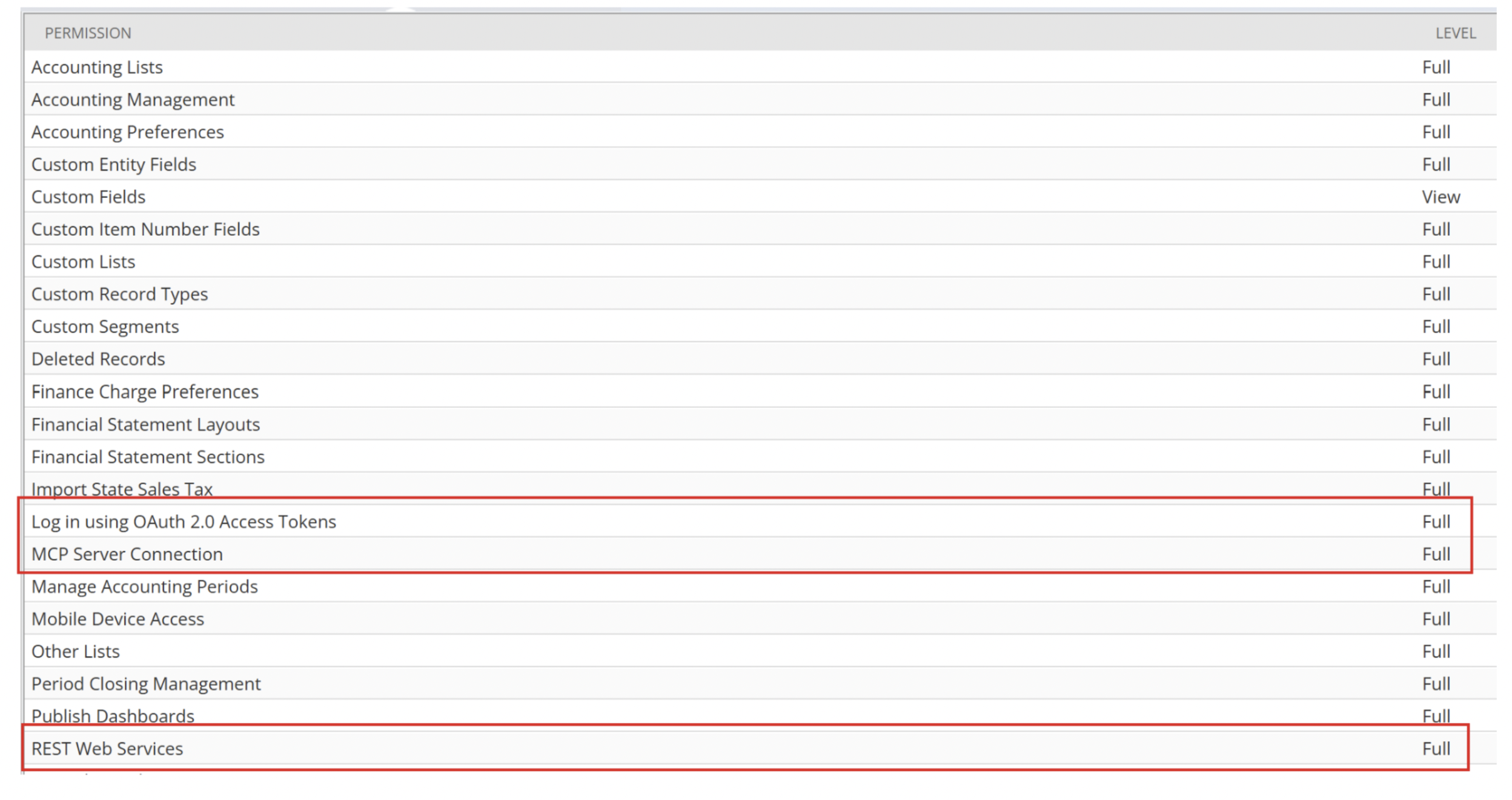
The idea is simple: give AI only the minimum access it needs.
4. Assign Role to a User
Assign the MCP role you just created to an existing user:
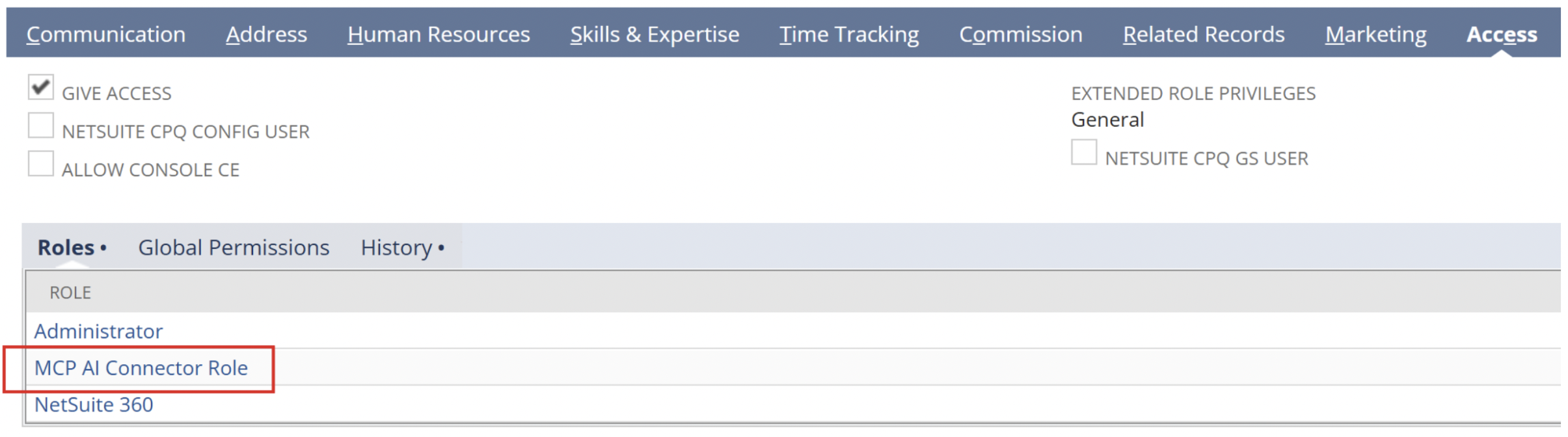
This user will be used when Claude authenticates into NetSuite.
5. Configure Claude Connector
Now switch to Claude.
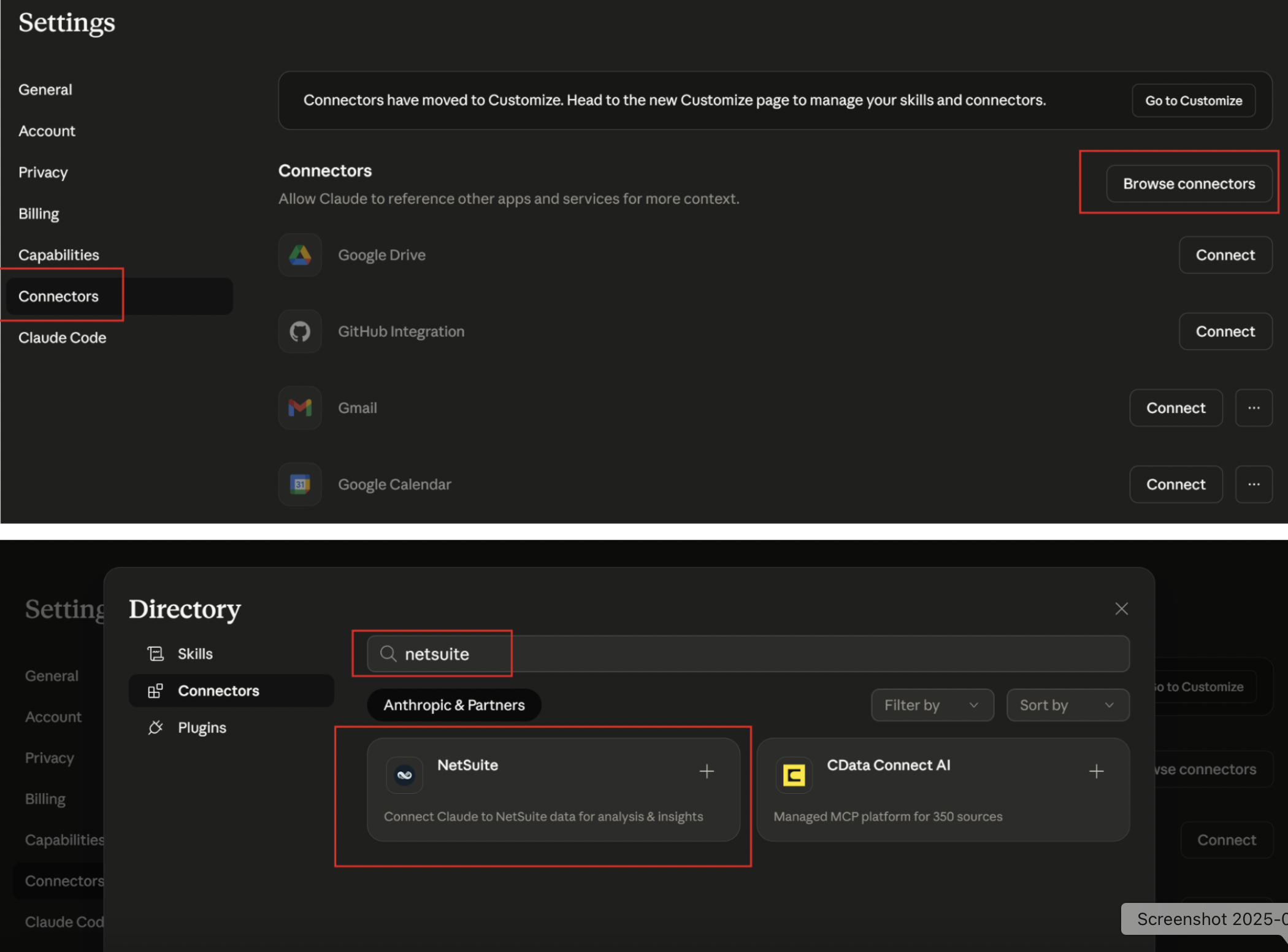
Open Claude → go to Settings
Navigate to Connectors
Click Browse Connectors and search for NetSuite
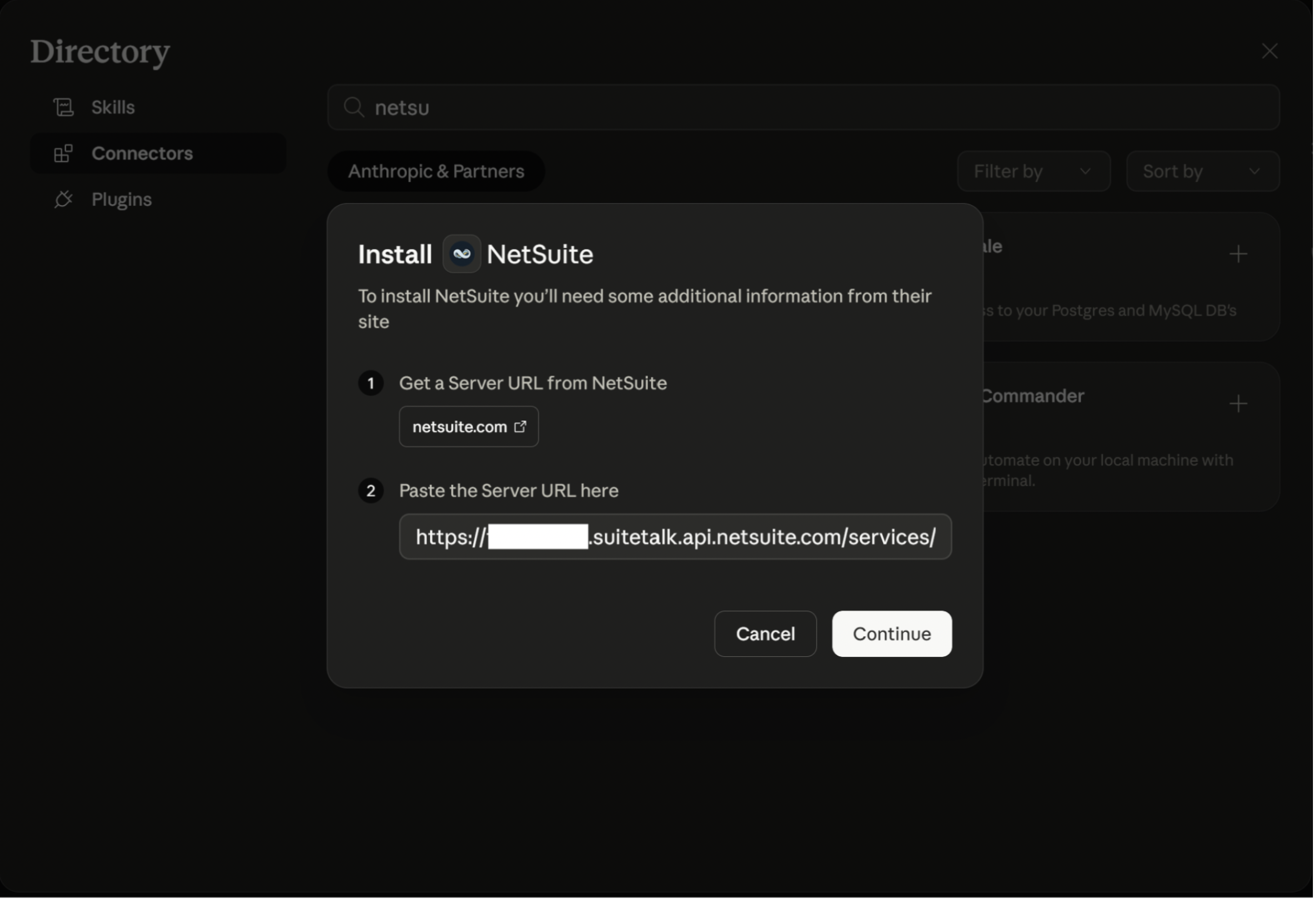
Enter the URL: https://<accountID>.suitetalk.api.netsuite.com/services/mcp/v1/suiteapp/com.netsuite.mcpstandardtools (replace <accountID> with your account number)
Click Continue
6. Authenticate and Select Role
Once you click connect:
A NetSuite login window will open
Log in using your NetSuite credentials
Select the custom MCP role you created
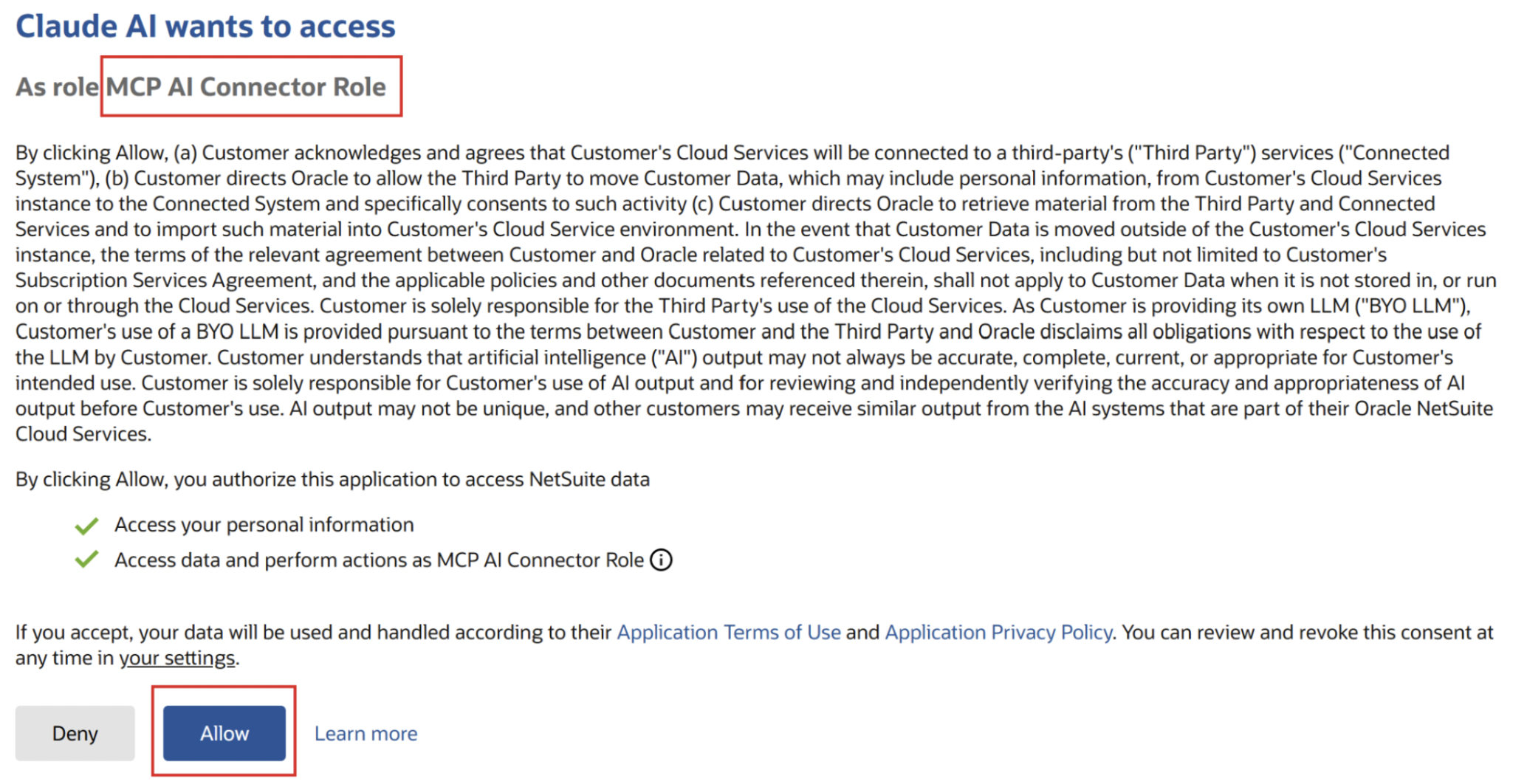
After successful authorization, you’ll see a confirmation that the connection is established
7. Verify Connection Inside NetSuite
After connecting:
NetSuite automatically creates an integration record for Claude
You can find it under: Setup → Integration → Manage Integrations
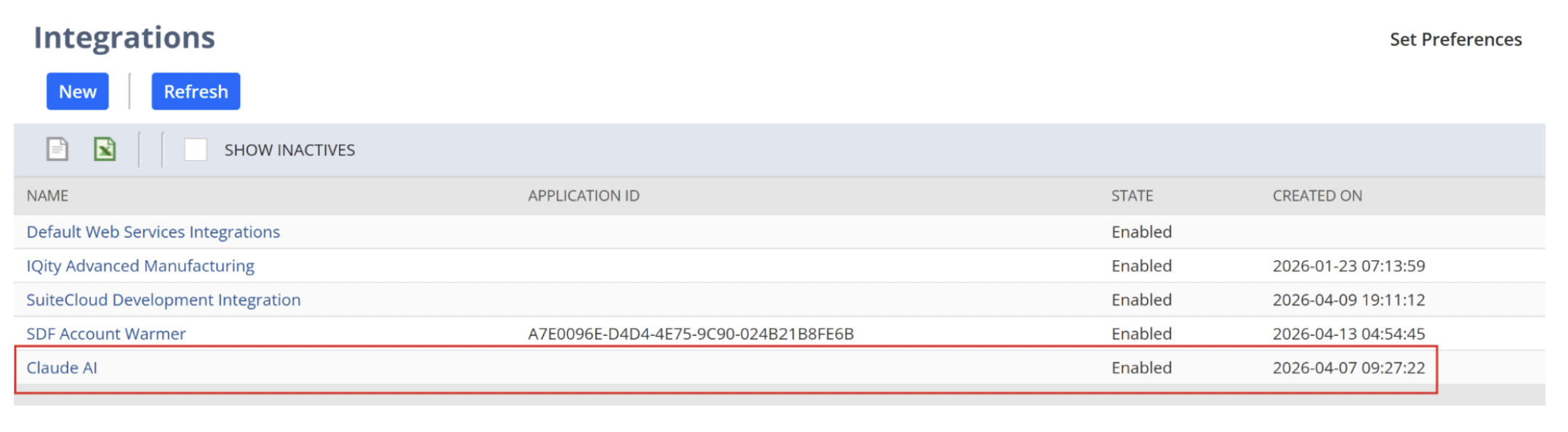
This record handles authentication and should not be modified manually.
8. Test the Connection
Now you can start using Claude with NetSuite:
Ask natural language queries like:
“Show me recent sales orders”
“Get customers over credit limit”
Claude will:
Interpret the request
Call MCP tools
Return structured results from NetSuite
Key Takeaways
MCP acts as the bridge between NetSuite and Claude
Security is controlled through roles and permissions
The connection is OAuth-based and fully auditable
Once connected, NetSuite becomes queryable using natural language
The connection must be re-established periodically, as it automatically disconnects users every few days
Bonus: Making AI Feel Native with NetSuite MCP Apps
One of the biggest challenges with AI integrations is usability. While connecting NetSuite to tools like Claude is powerful, relying only on text prompts can feel inconsistent and sometimes frustrating.
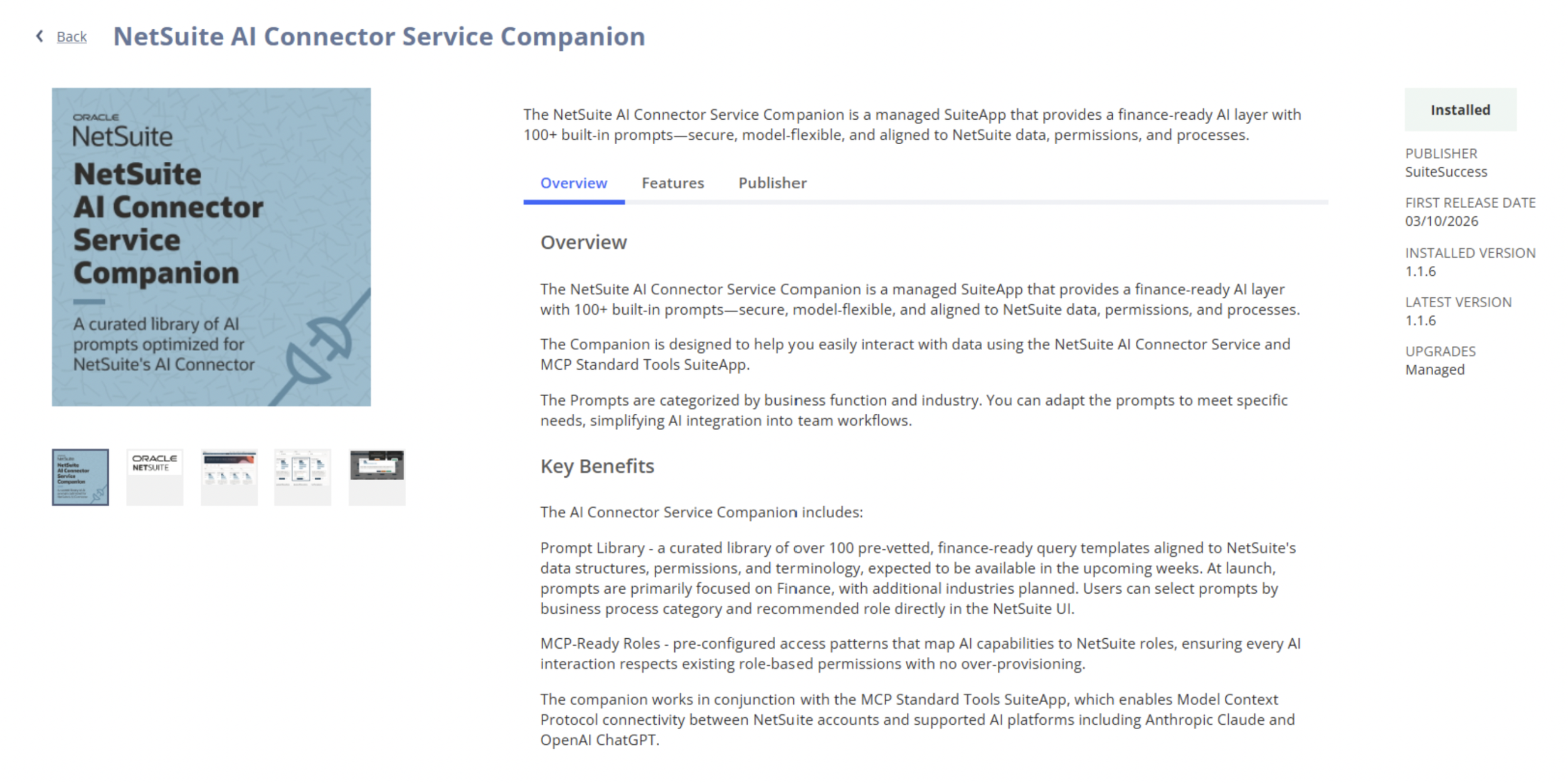
This is where NetSuite MCP Apps come in, powered by the SuiteApp NetSuite AI Connector Service Companion.
The SuiteApp NetSuite AI Connector Service Companion builds on the NetSuite AI Connector Service, which uses the Model Context Protocol (MCP) to securely connect external AI models to ERP data without vendor lock-in. In simple terms, while the connector acts as the bridge between AI and NetSuite, the Companion adds the context and structure that makes this interaction meaningful—ensuring AI can understand business data, workflows, and permissions rather than just accessing raw information.
What makes the Companion valuable is how it operationalizes AI for real users. It introduces prebuilt prompts, reusable “skills,” and role-based controls so AI outputs are consistent, governed, and aligned with finance use cases. Instead of relying on manual prompt engineering, teams can interact with NetSuite in natural language and get reliable, context-aware responses—effectively turning a flexible “bring-your-own-AI” integration into a structured, usable, and scalable enterprise AI experience.
How to use it?
Navigate to Setup → AI Companion Tools → AI Companion Library.
Browse through the different prompts and hover over “Use Prompt” and click on “Send to Claude” to use the prompt!
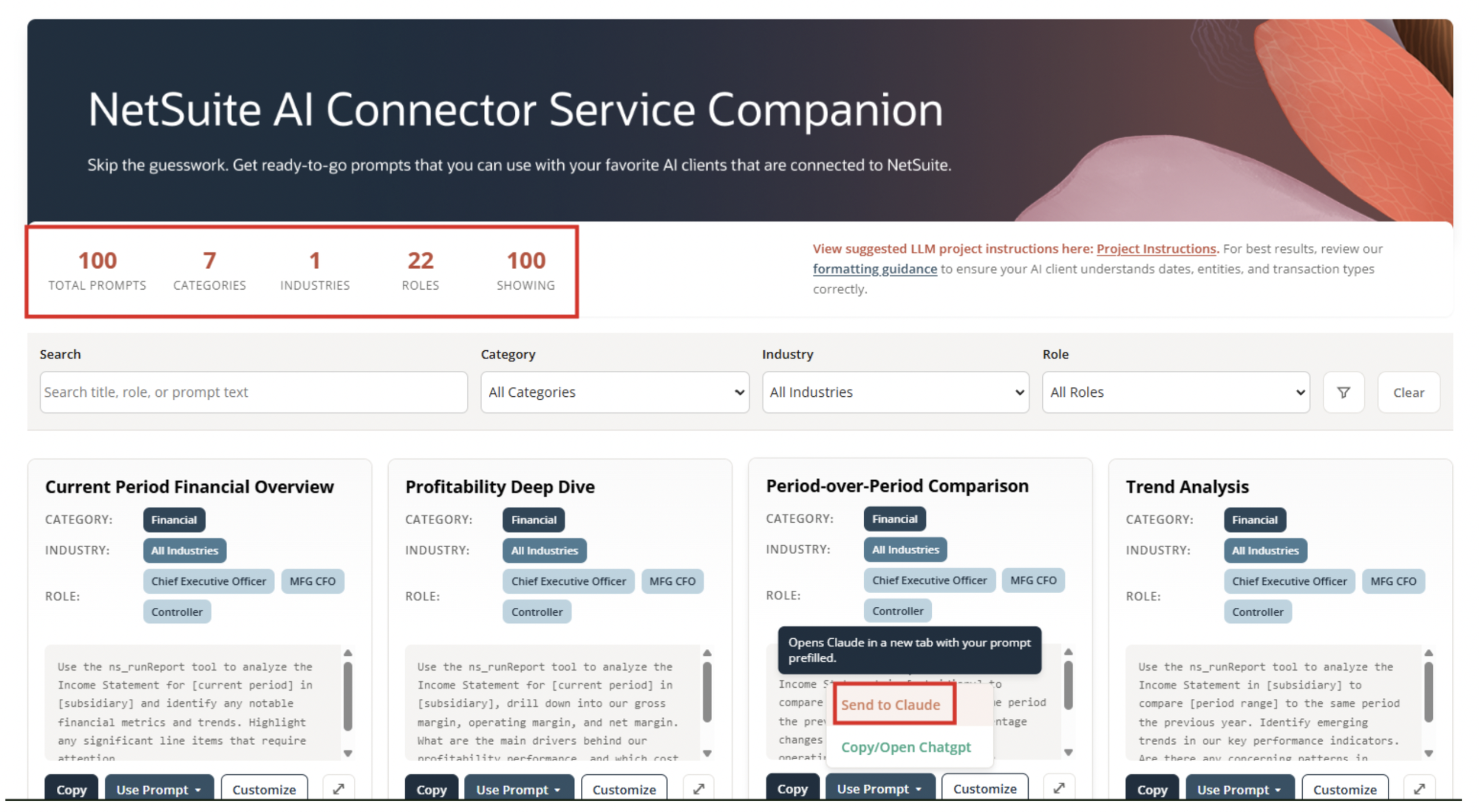
The value here is simplicity and consistency.
Users spend less time refining prompts and more time getting answers. It also opens the door for non-technical users who understand NetSuite but are not comfortable with AI prompting.
At the same time, prompts still respect NetSuite permissions. With NetSuite AI Connector Service Companion, access remains role-based and controlled.
Security Considerations
This is the part that cannot be overlooked.
When you connect NetSuite to any external AI model, you are effectively allowing data to move outside of your ERP environment. That introduces several considerations:
Data access controlOnly expose the minimum data required. Use role-based permissions in NetSuite to ensure the connector cannot access sensitive records unnecessarily.
Model data handlingUnderstand how the AI provider handles your data. Some models may retain or use inputs for training unless explicitly configured otherwise.
Audit and monitoringTrack what queries are being made and what data is being accessed. This is especially important for financial and customer data.
A good rule of thumb is to treat the AI connector like any other integration. If you would not expose that data to an external system, you should not expose it here either.
Read more on Associated Risks, Controls, and Mitigation Strategies from NetSuite.
What’s Coming: NetSuite Next
NetSuite Next represents the next phase of how Oracle is thinking about AI inside the platform.
While details are still emerging, one important development is that selected customers will begin testing it summer of 2026. That signals a shift from experimental features toward more embedded AI capabilities within the NetSuite experience itself.
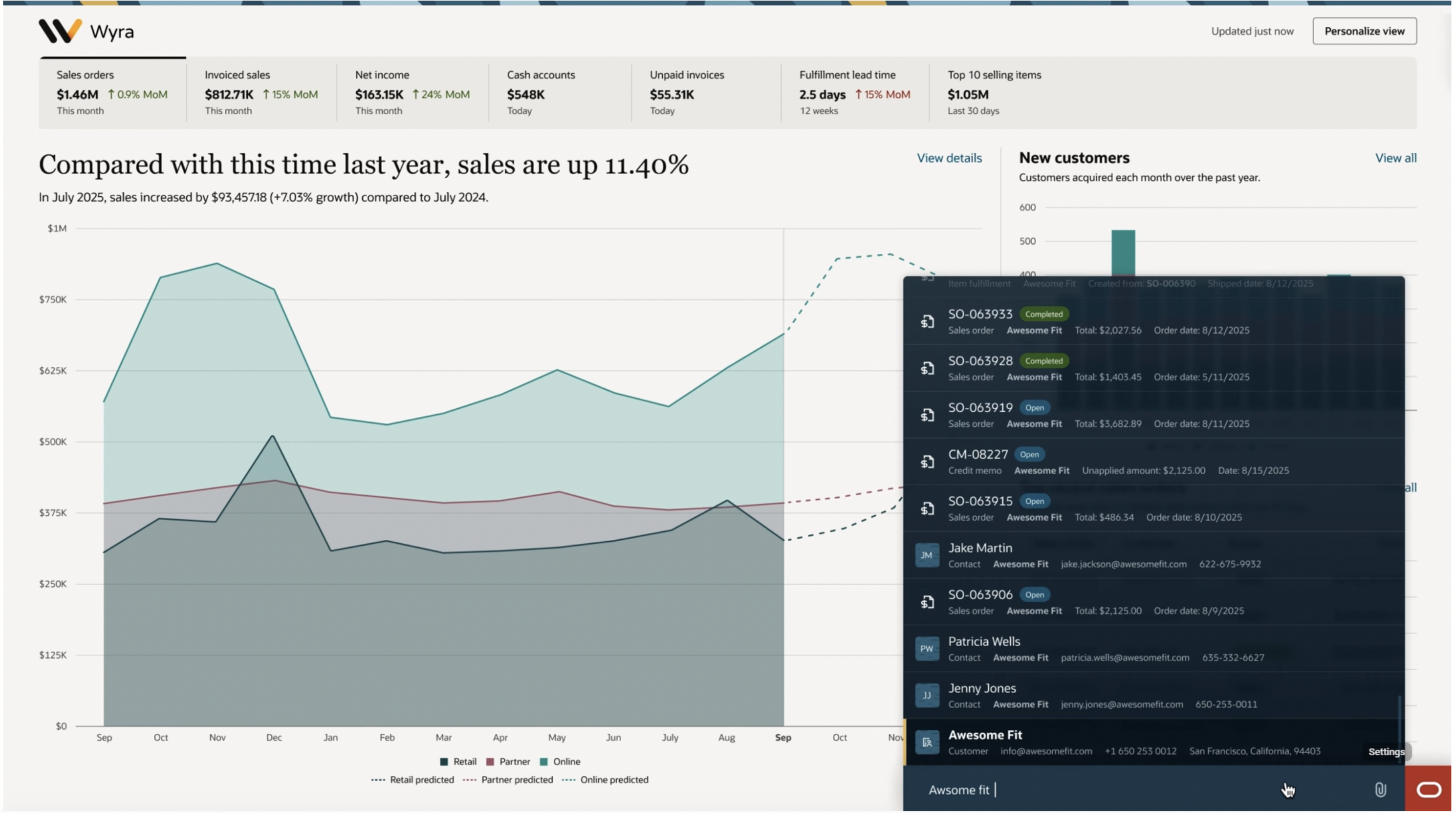
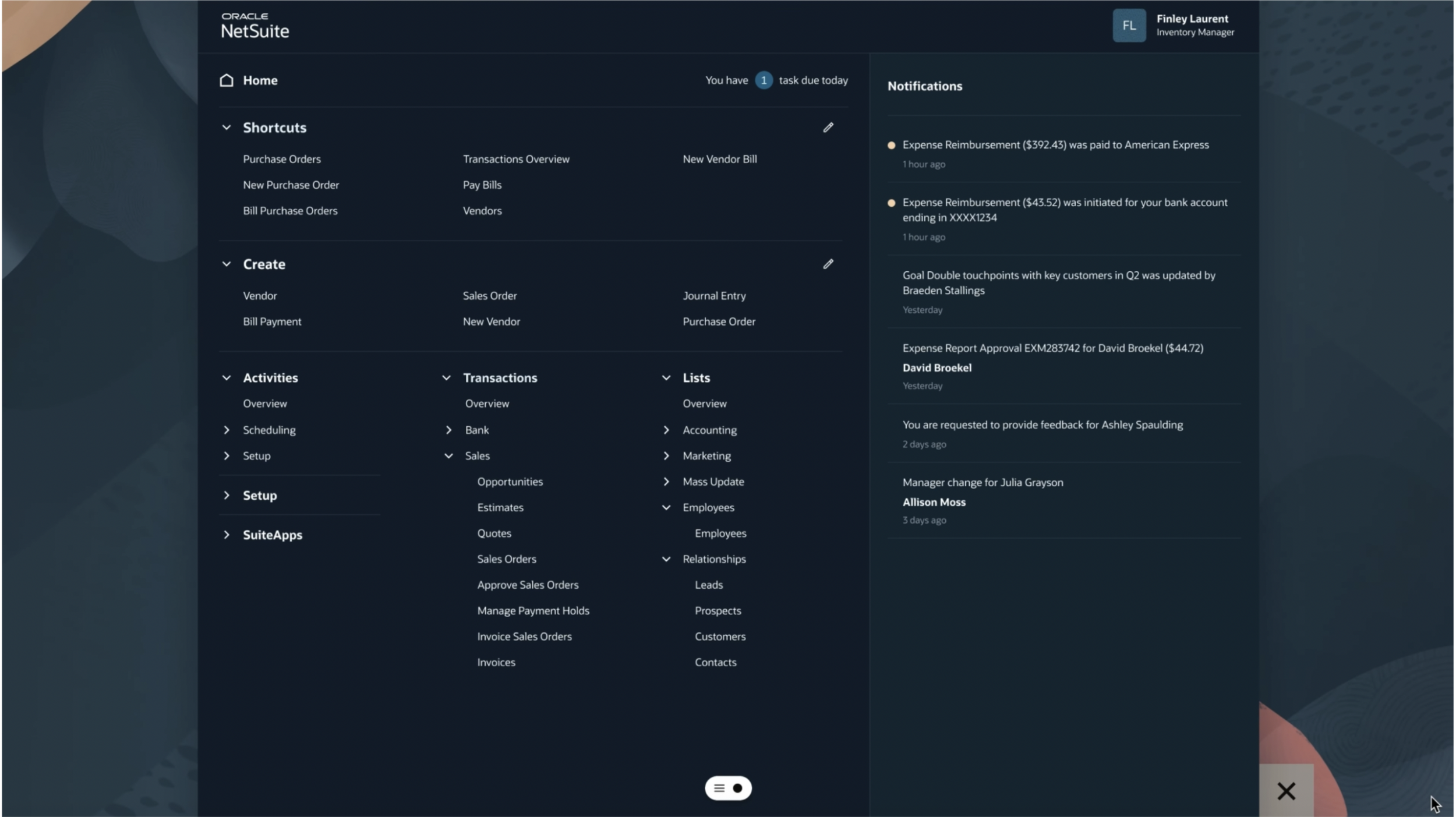
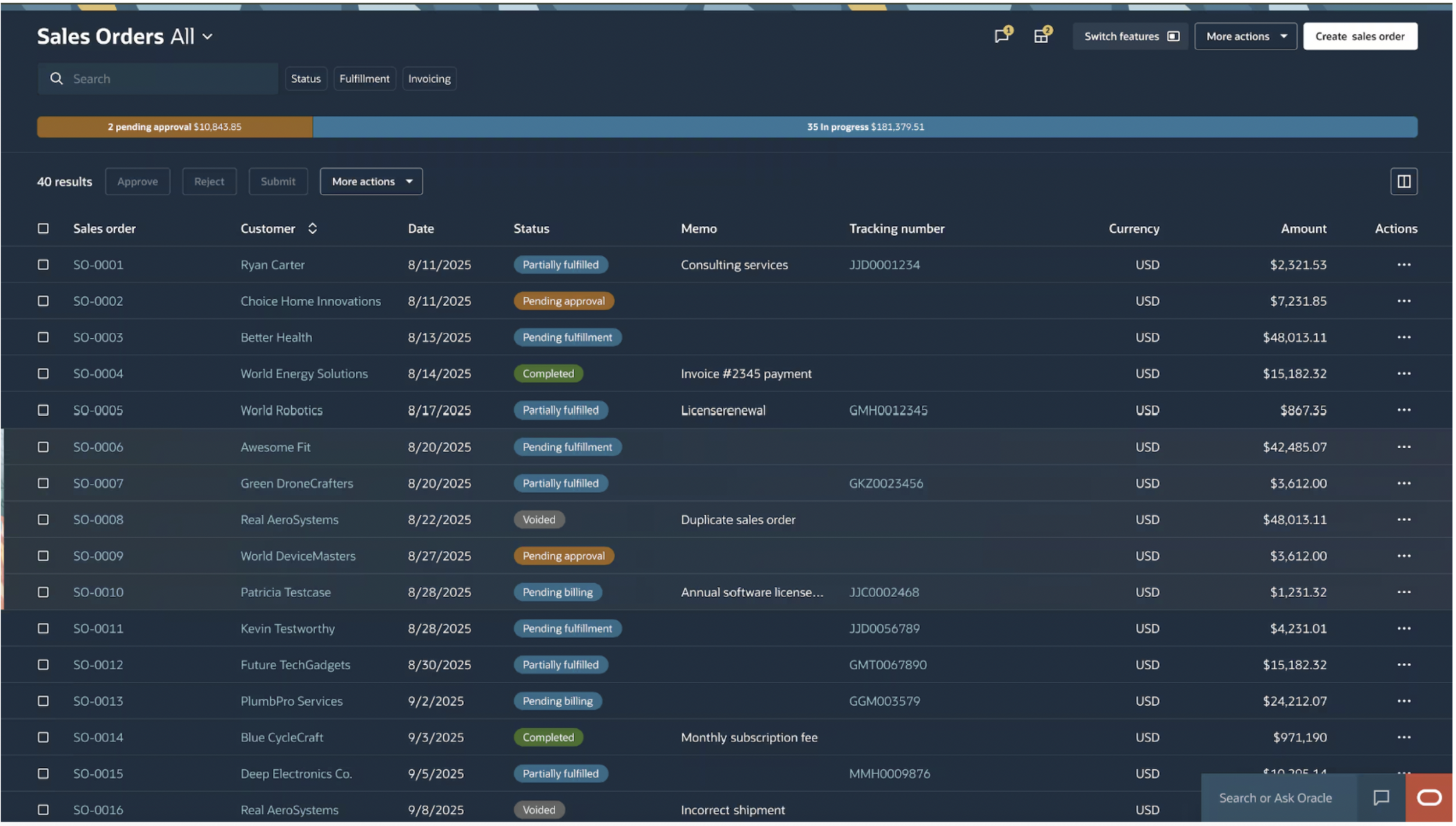
The expectation is that NetSuite Next will bring:
More native AI-driven insightsLess reliance on external tools for common use cases
Deeper workflow automationAI not just answering questions, but actually triggering and managing processes
Improved user experienceNatural language interactions becoming a standard way to navigate and operate within NetSuite
This is important because it reduces the gap between data and action. Instead of exporting data to analyze it, the system itself becomes more intelligent and responsive.
The Intersection of AI and Integrations
One of the most exciting directions is where AI meets integrations.
Traditionally, building integrations between systems requires developers, middleware, and a fair amount of time. With AI, we are starting to see the possibility of configuring these flows using natural language.
Imagine telling your system:
When a sales order is created in NetSuite, send the details to a fulfillment system and notify the warehouse team if the order value exceeds a certain threshold
Instead of writing scripts or building workflows manually, AI could interpret that instruction and generate the integration logic.
This has huge implications:
Faster implementation cycles
Less dependency on technical resources
More flexibility for business users
For NetSuite customers, this could mean a future where integrations are no longer a bottleneck but something that can be iterated on quickly and intuitively.
Final Thoughts
AI in NetSuite is not about replacing the system. It is about making it easier to use, more responsive, and more aligned with how people actually work.
Today, tools like the MCP AI Connector & NetSuite AI Connector Service Companion already allow you to layer AI on top of your ERP in meaningful ways. Tomorrow, with initiatives like NetSuite Next, we will likely see AI become a more native part of the platform.
The opportunity right now is to start small. Focus on high impact use cases, understand the security implications, and experiment with how AI can simplify everyday workflows.
Because the real value is not in having AI, it is making your ERP feel less like a system and more like a conversation.
Feel free to reach out to Racette Consulting to see how AI can be integrated with your NetSuite environment with the help of our AI-certified consultants!
